The build guide

How to build a website with AI.

What I built
8 pages & 2 offers
How long it took
3 weeks
in my free time
My only new cost
~$20/mo
hosting.

I just built and launched a brand-new website with AI. Custom-designed, custom-coded: 8 pages, 2 offers with their own landing pages, even the Meta ad creatives. In 3 weeks. I have no design skills and no coding skills.

For context: the last time I launched an offer with a landing page, it took me 2-3 months. The last time I paid for a website like this, it cost over $10K and came out FAR from what I wanted. I couldn't afford more edit rounds, so I was stuck with it. Honestly? I wanted to scrap the whole thing the day it was done, because I knew it wasn't good. I just couldn't afford to.

This time was different. I did over 100 edit rounds in under 2 weeks and got exactly what I wanted, while running my full-time consulting business and living my normal life. A couple hours here, a couple hours there. I'm still in shock at what AI can do.

A note on tools, since people always ask: what I already had was subscriptions to Claude, ChatGPT, and Gemini Omni (the Google video tool). I leaned on Claude for about 94% of this, ChatGPT for 5% or less, and Gemini Omni for just a couple of example animations. In every case, Claude built the final product. The other two were only for inspiration.

And no, I'm not some "natural" or a "prompting queen", you'll laugh when you see my real prompts below. My brain thinks in run-on sentences. I think in "a little bit," "kind of," "not exactly," and "I don't know why, but it doesn't feel right." And I still built this.

That's the part that gets me: people who aren't technical, or even all that creative, can now make what's in their head real. So here's exactly how I built my website with AI, and what I learned that would let me do it in half the time next round.

Set up your tools.

You need the Claude desktop app, Cowork turned on, and the Chrome extension connected. Ten minutes.

Download the Claude desktop app

Go to claude.com/download and install the desktop app (not just the browser tab). You need a paid plan to use Cowork.
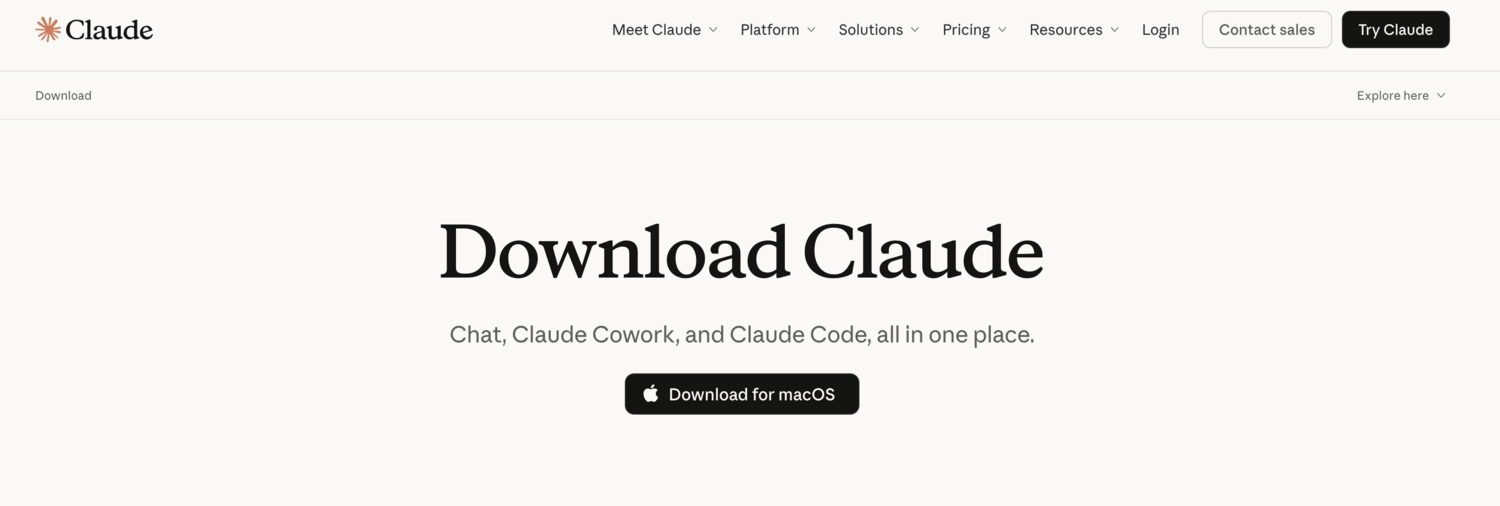
The Claude desktop app download page with a Download for Mac button
The Claude download page. Grab the desktop app, not just the browser tab.
Turn on Cowork and pick a folder

Open the app, click the Cowork tab, and select a folder on your computer. That folder is where Claude saves everything it builds for you.
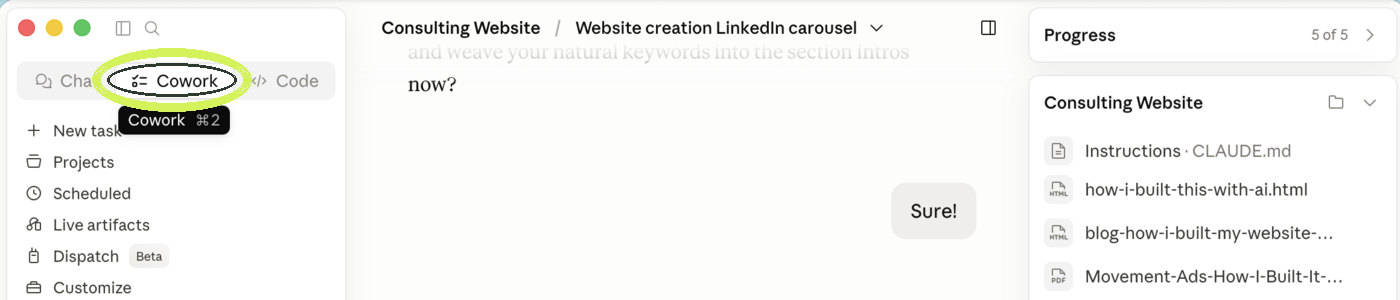
The top of the Claude desktop app with the Cowork tab circled
The Cowork tab is right at the top (circled). That's the one mode you need.
Connect Claude to Chrome

In the Claude app, click Customize in the left sidebar, then open Connectors. Under Desktop, find Claude in Chrome and connect it. Now Claude can open and look at web pages with you, which you'll use to show it sites you like.
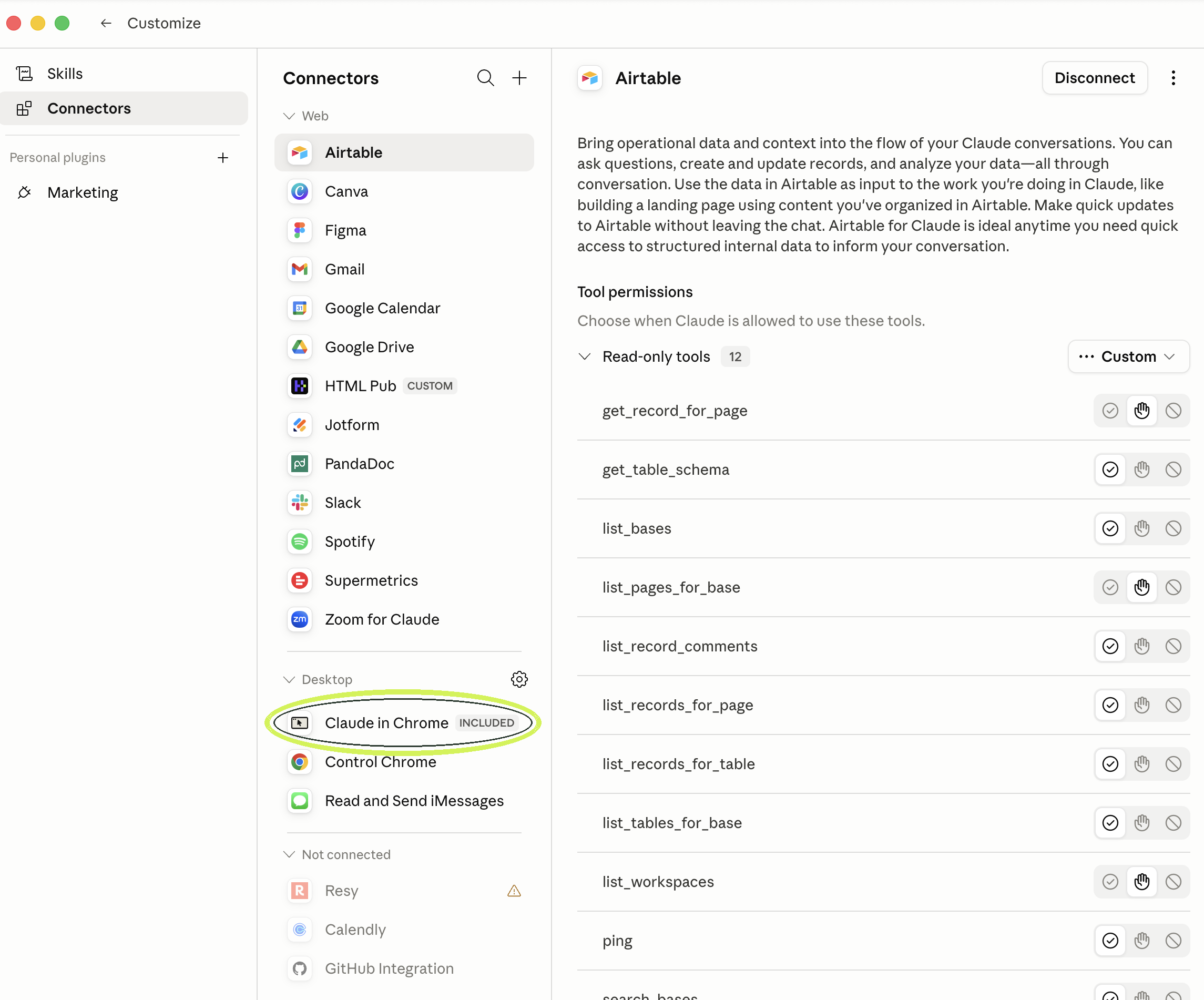
The Connectors screen in the Claude app, with Claude in Chrome circled under the Desktop section
Customize → Connectors → Desktop. Connect Claude in Chrome (circled).
Learn how to preview its work

When Claude builds a page it gives you a preview link. Click it to open the page in Chrome and watch your site come together.
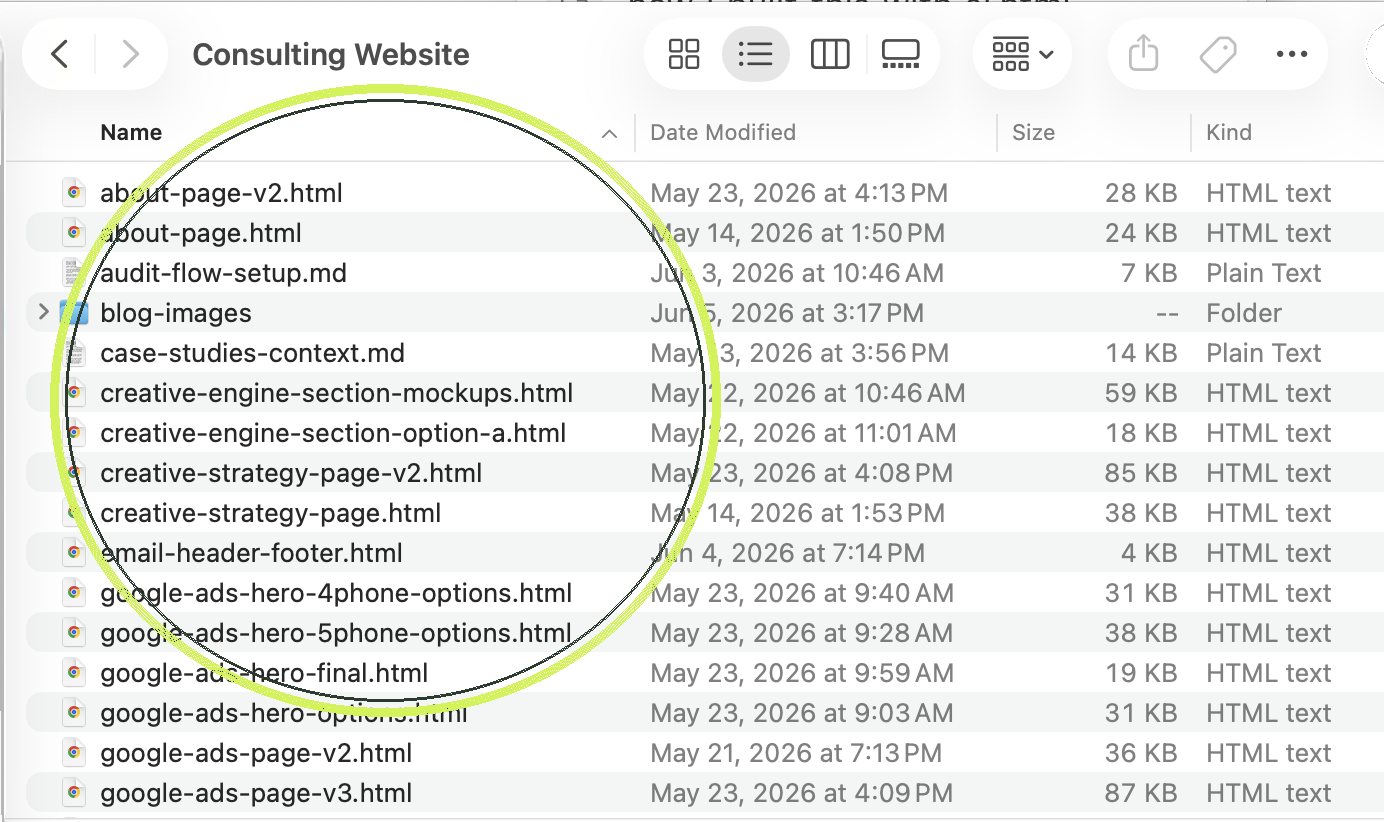
The project folder in Finder with the HTML files circled, each one opens in Chrome as a live preview
Every page Claude builds is an HTML file in your folder (circled). Double-click one and it opens in Chrome, so you can watch it come together.

Feed Claude your taste.

Claude is strong with words and structure, weaker at inventing visuals. So hand it your taste instead of asking it to guess.

Gather your starting materials

Drop these into your folder: any design deck you have, your old website, and your fonts and colors. A starting point beats a blank page every time.
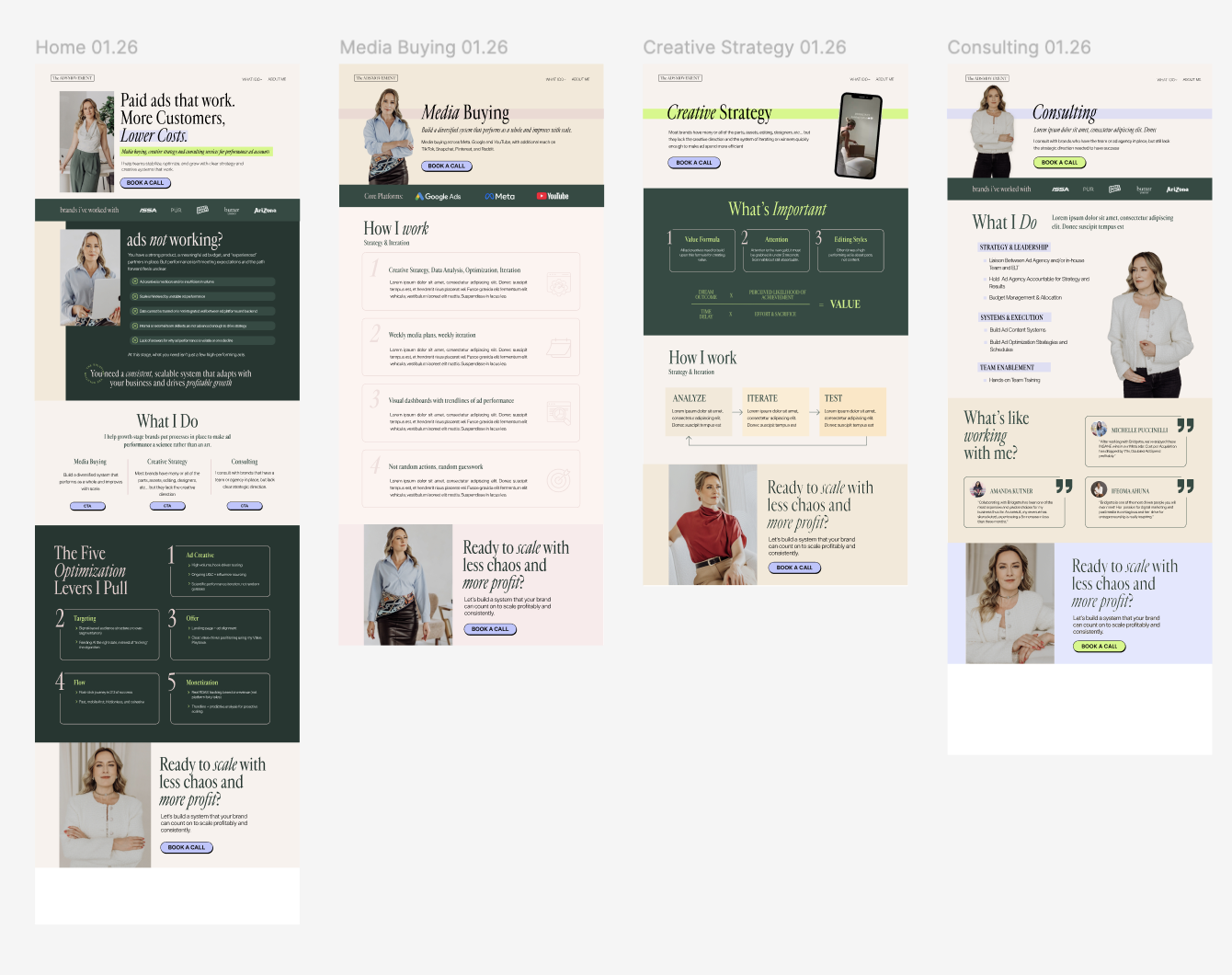
The Figma mockups my designer made, which I fed into Claude as a starting point
My real starting point: the Figma a designer made me. I fed Claude these, then made it mine.
Write a "feel" brief (Claude will interview you)

Paste this prompt. Answer the questions out loud. You'll get a short brief you reuse on every page.

Copy-paste prompt
I'm building a website and I'm not a designer. Before we design anything, interview me about how I want it to FEEL.

Ask me one question at a time using AskUserQuestion. Cover: 3 words for the vibe, brands or sites I admire, what a visitor should feel in the first 5 seconds, premium vs. playful, and anything I hate.

Then write me a one-page "design brief" I can paste at the start of every page we build.
Hand it everything at once

Point Claude at your folder and your new brief: "Here's my deck, my old site, my colors and fonts, and my design brief. Use these as the source of truth for everything we build."

Getting what you want from Claude.

Claude is only as good as how you talk to it, and that's far more forgiving than you'd think. You don't need clever prompts. You need to keep finding ways to help it help you.

Talk to it like someone working for you, sitting right beside you

Don't write "prompts." Talk. The way you'd explain a task to a sharp person at the next desk, half-formed thoughts and all. Mine are a mess, run-on, vague, full of "kind of" and "not exactly," and it did not matter one bit.
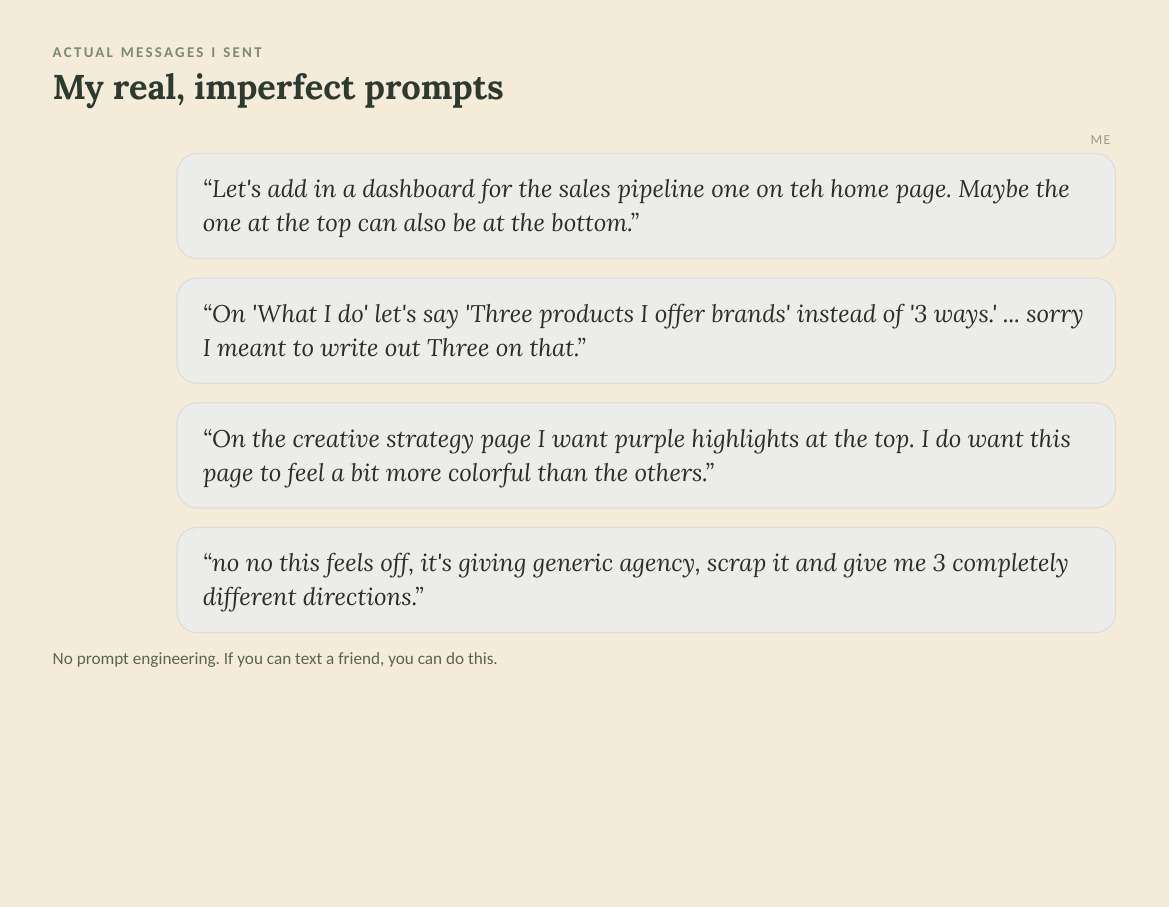
Four real, casual, typo-filled prompts I actually sent to Claude while building the site
Real messages I sent. Typos and all. This is the whole bar.
If it's not getting it, ask for a few different directions

When a section won't land, stop nudging the same one. Ask for options that go in genuinely different directions, then point at the one that's closest.

Copy-paste prompt
This section isn't it. Give me 3 versions that look and feel completely different from each other, and from what's here. I'll pick the closest.
Don't accept less than what you want

You have to believe Claude can get there, because it can. Sometimes that means getting creative about how you help it. If words aren't working, show it a picture. If a picture isn't working, show it a video. Keep changing the input until it clicks.

Use ChatGPT for visual inspiration

ChatGPT's image generation is more advanced than Claude's at visuals. So I'd use it to generate different visual ideas, then feed those to Claude as a starting point. That was a huge unlock.
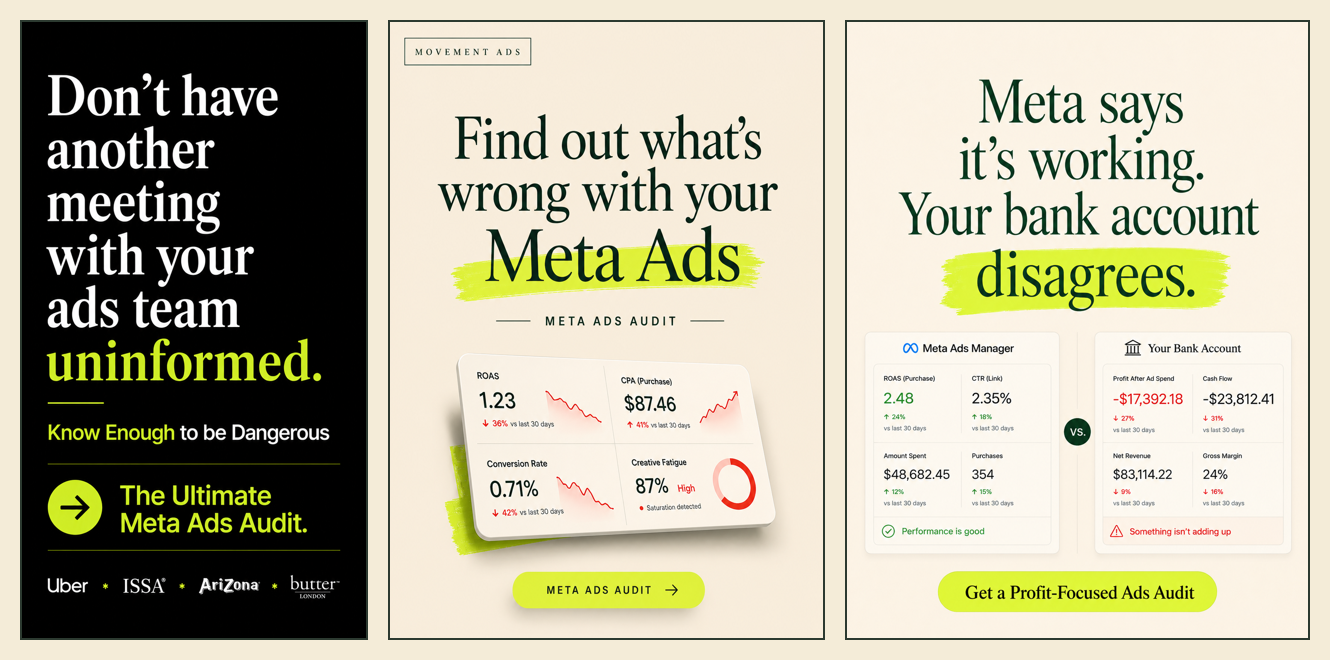
Three landing-page design concepts I generated in ChatGPT to feed Claude as visual inspiration
Three quick visual directions from ChatGPT. I'd hand these to Claude as a starting point.
Use Google's Gemini Omni for animated examples

Gemini Omni (Google's video tool) is great for generating example animations. I wanted animated versions of my dashboards but didn't want to edit the video myself. So I uploaded a Loom of the dashboards to Gemini Omni and asked it to make an animated video of them. That gave Claude the direction it needed. In the end I had Claude build the final video from my raw assets, using Gemini Omni's version as the example to match.
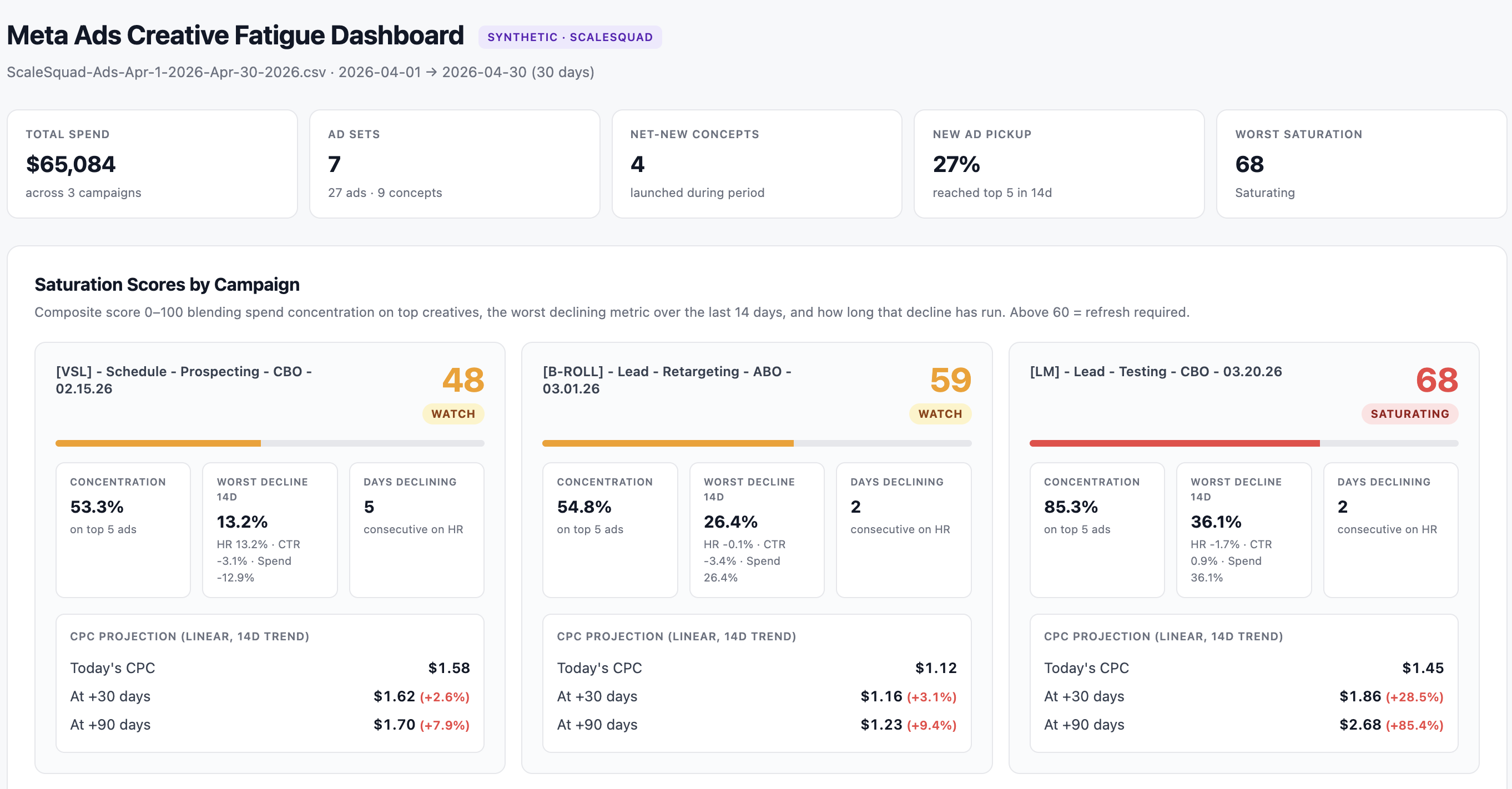
My real Meta Ads Creative Fatigue Dashboard, the one I recorded a Loom of
My real dashboard (the Loom I recorded)
Gemini Omni's rough example (just for inspiration)
I fed Omni a Loom of my real dashboard and it spun up a quick animated example. That wasn't the final product, just a style reference to show Claude the motion I wanted. Claude then built the real thing from my actual dashboard assets.
Open a separate chat to workshop your messaging

For the parts that matter most, headlines, key phrases, the core messaging, open a different chat inside the same project and go deep. Other parts, I'd read what it wrote back from my long-winded rambling, think "yep, that's great," and move on.

Talk it out loud with Wispr

I use Wispr (voice-to-text) right inside Claude. For the fuzzy stuff, how I wanted a section to feel, I'd talk for a few minutes and upload the voice notes. Talking pulls more out of my brain than typing ever does.
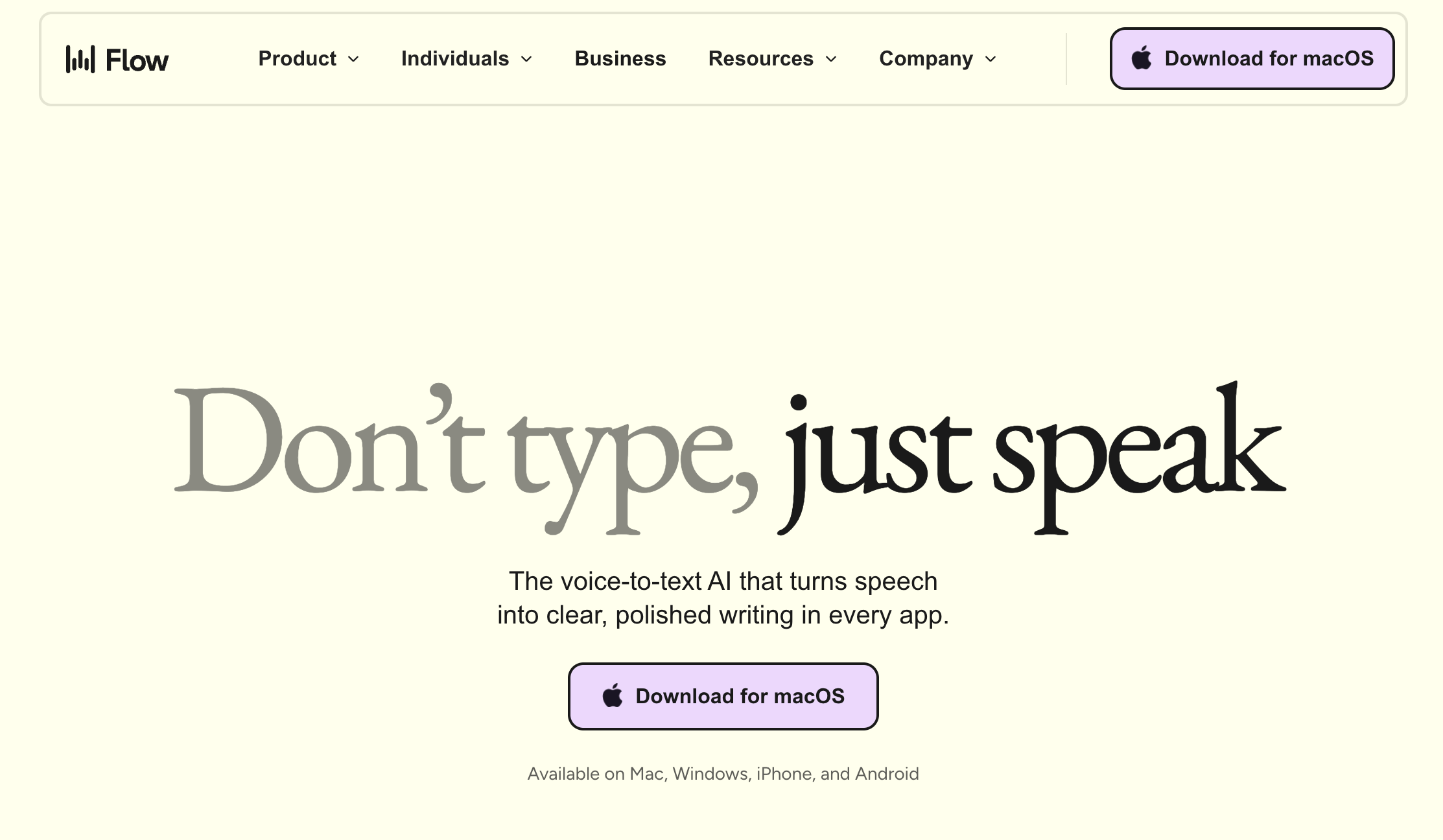
The Wispr Flow page, Don't type just speak, where you download the desktop dictation app
Wispr Flow (wisprflow.ai). Hold a key, talk, and it types wherever your cursor is, including inside Claude.

Build one page at a time.

Start with a rough V1

Don't aim for polished. Get the sections and layout down first. Not sure what sections you need? Give Claude two or three sites you like and have it copy the structure.

Copy-paste prompt
Build a rough V1 of my [HOME] page as a single HTML file. Just the sections and layout, super rough, no polish yet.

Here are 2-3 sites I like: [paste links]. Copy how they STRUCTURE a page, not their words.

Use my colors, fonts, and design brief. Give me a preview link I can open in Chrome.
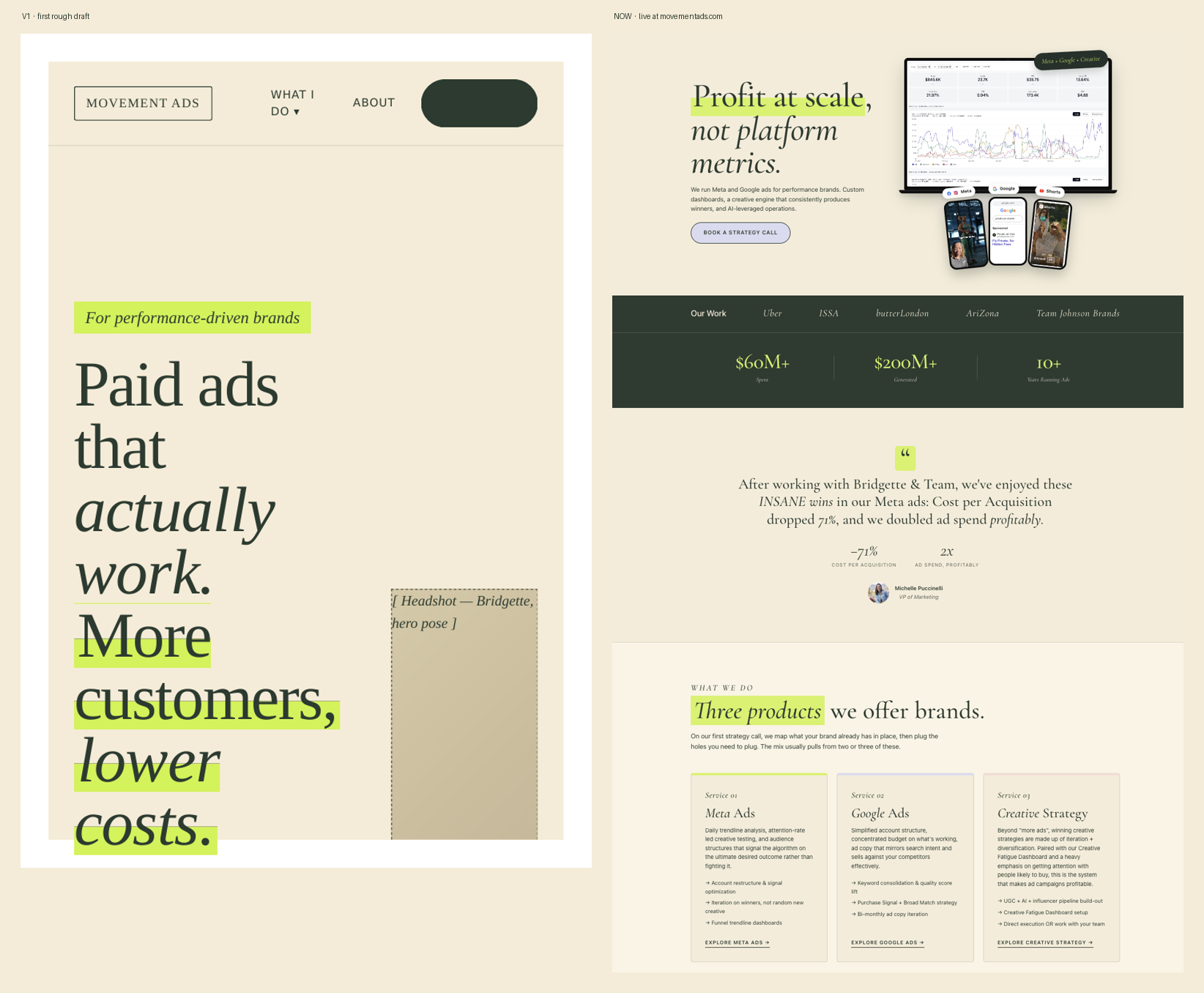
A website's rough first V1 draft next to the polished live version
A rough V1 (left) next to the same page finished (right). You start ugly. That's the job.
Fix what looks off by feeding it screenshots

This is the trick most people miss: Claude reads screenshots better than its own design. When a section looks wrong, screenshot it and show it, plus a screenshot of what you want it to look like.

Copy-paste prompt
Here's a screenshot of my [section]. It looks [too plain / cluttered / off].

Make it look more like this: [paste a screenshot you like]. Keep my colors and fonts.
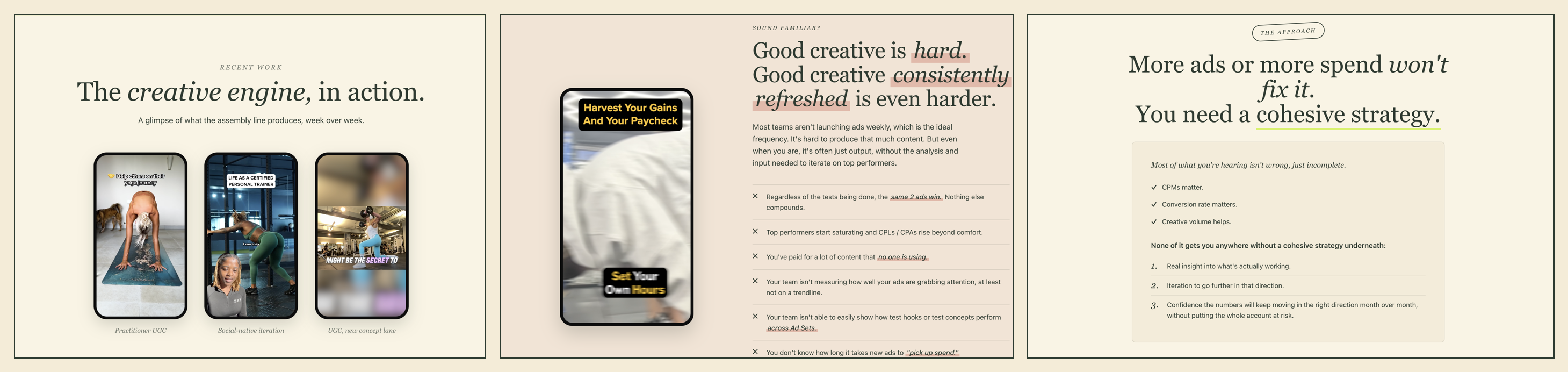
Three screenshots of my own site sections that I pasted into Claude to fix or improve
I'd screenshot a section, paste it in, and say "more like this" or "this part's off." Claude reads the image faster than it reads its own design.
Work section by section, take breaks

Polish one section at a time. Then close it. Come back the next day with fresh eyes, you'll catch things you couldn't see while you were in it.

Let Claude draft the content you edit

The substance comes from you, but a first draft beats a blank page. Get Claude to write something you can react to and fix.

Copy-paste prompt
Draft the copy for the [X] section in my voice. I'll edit it.

My rules: no [words I hate], short sentences, specific numbers, lead with the result. Here's what this section needs to say: [bullet the points].
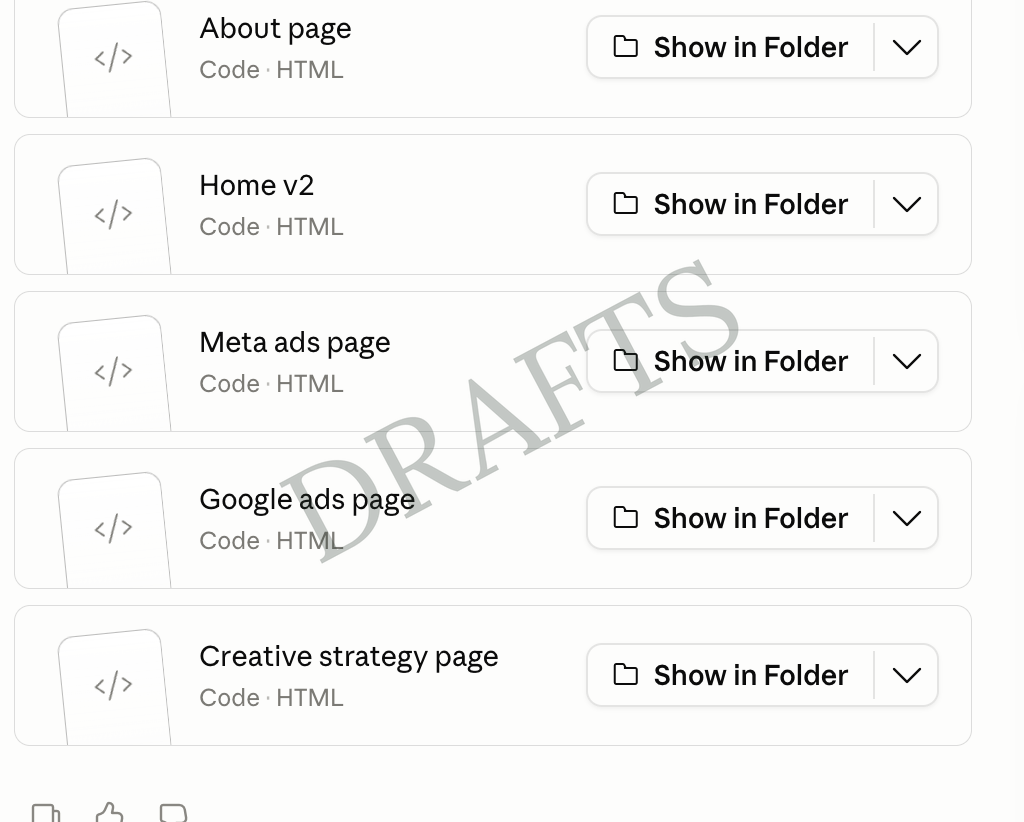
Claude in Cowork showing the About, Home, Meta Ads, Google Ads, and Creative Strategy pages it built, each with a Show in Folder button
One page turned into six. Each one is its own file you can open straight from your folder.
Let it evolve. As you build, you'll realize you need pages you didn't plan, like a hub to hold all your case studies. Let the site tell you what it needs.

Make it readable.

Check it on your actual phone

Ask for a mobile version and open the preview link on your phone. Most fixes happen here. Fitting on the screen isn't the goal, being absorbable on a small one is.

Copy-paste prompt
Give me a mobile version of this page and a preview link I can open on my phone.

Optimize for readability on a small screen, not just fitting: bigger text, fewer columns, most important point first.
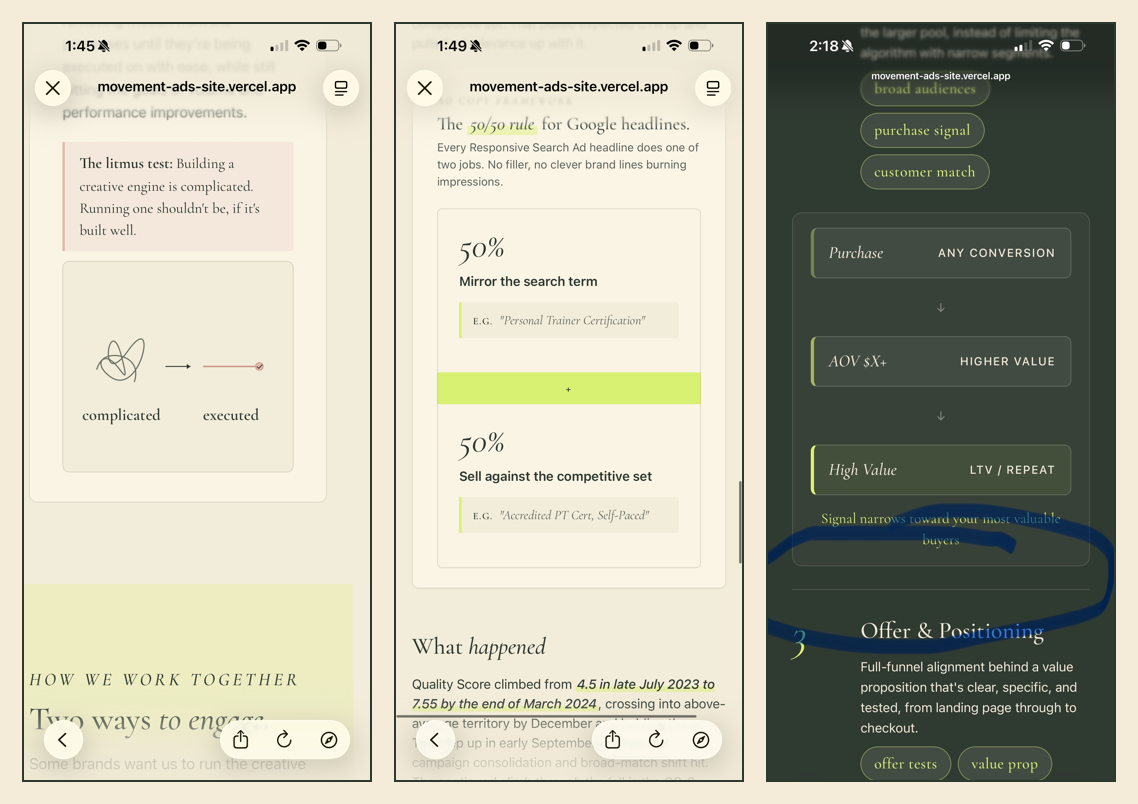
Three of my site pages open on my phone, with notes marking what needed fixing for mobile readability
Actual shots from my phone. This is where I caught the most: spacing, text that was too small, and bits that just didn't read on a small screen.
Make the important parts pop

Claude's designs can be pretty but quiet. Assume your reader scans, they will not read. Push the key points to jump out.

Copy-paste prompt
Assume my reader will NOT read, they scan. Make the important parts pop: bigger, bolder, higher contrast.

Fix anything small, greyed out, or hard to read. Show me a before and after.
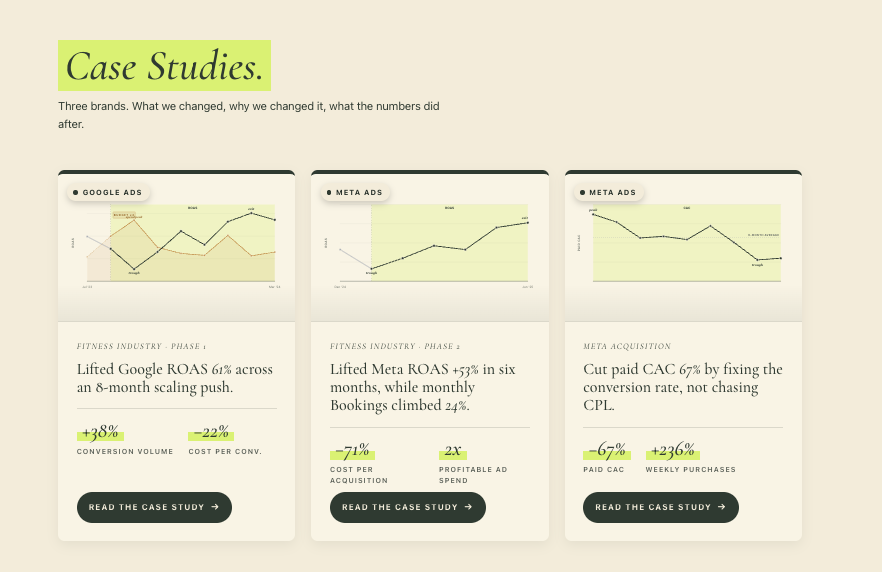
My case studies section with the key result numbers highlighted big and bold so they jump out
The fix in action: the numbers are highlighted, big, and bold, so a scanner catches +38%, -71%, +236% without reading a word.
When you're stuck, just say so

You'll get stuck. Don't try to sound technical. Say exactly this:

Copy-paste prompt
I'm stuck. This isn't right but I don't know how to fix it. Can you help me figure out what's wrong with this?

Set your goals before you code.

Before turning your mockups into a real site, tell Claude where you're headed so the structure and hosting still fit later.

State your long-term goals up front

Paste your real goals. This one decision shapes the whole technical setup.

Copy-paste prompt
Before we turn this into a real, hostable website, here are my long-term goals so the structure and hosting won't need a rebuild later:

1) Load time matters most. I'll have videos and interactive sections (some videos auto-play above the fold).
2) I'll add a blog and publish a lot of content.
3) I'll eventually sell a SaaS tool or courses on the site.
4) I'll add a custom tool/agent (e.g. one that lets visitors diagnose their own performance).

Recommend a setup (framework + hosting) that fits all of this, and explain it to me simply. Then set it up.

Go live.

This is the part people fear. Expect a snag or two, that's normal, and Claude talks you through each one. Here's the path.

Sign up for Vercel

Claude will likely recommend Vercel for hosting. Go to vercel.com and create a free account. Easy part.
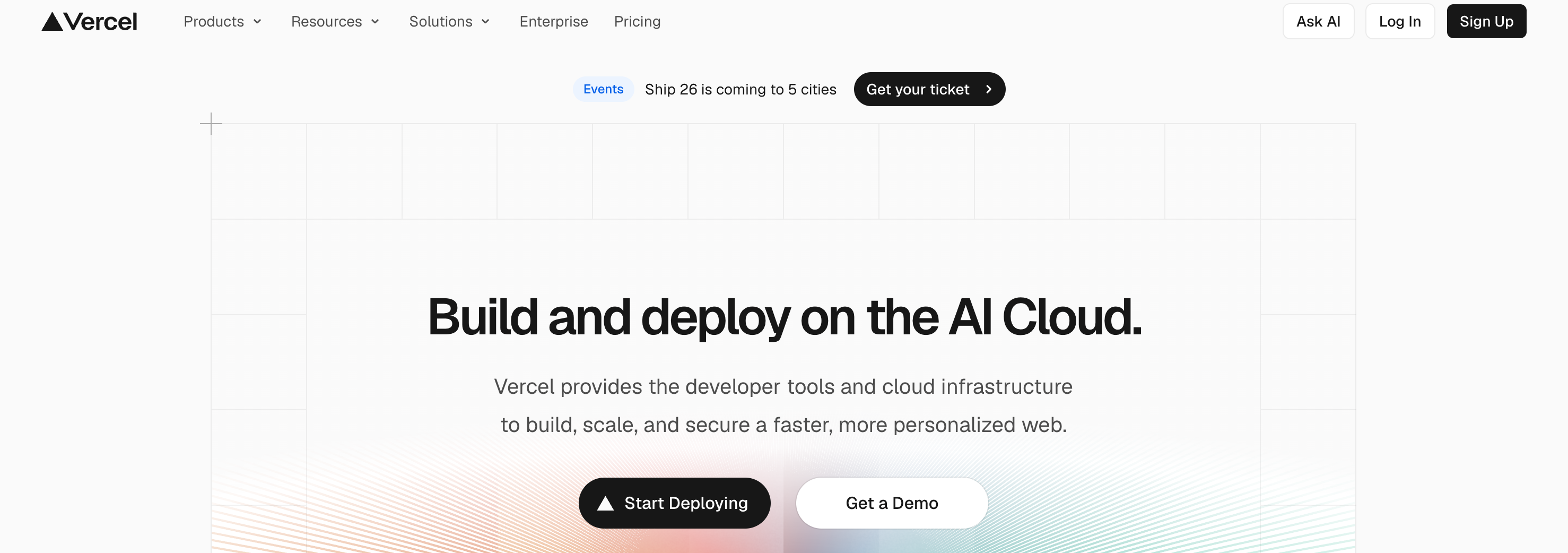
The Vercel sign-up screen where you create a free hosting account
Sign up for Vercel (free). Claude points you here for fast hosting.
Connect GitHub

Claude will have you set up GitHub (where your code lives). Download it and follow the steps it gives you. You don't need to understand how they connect, Claude handles it.
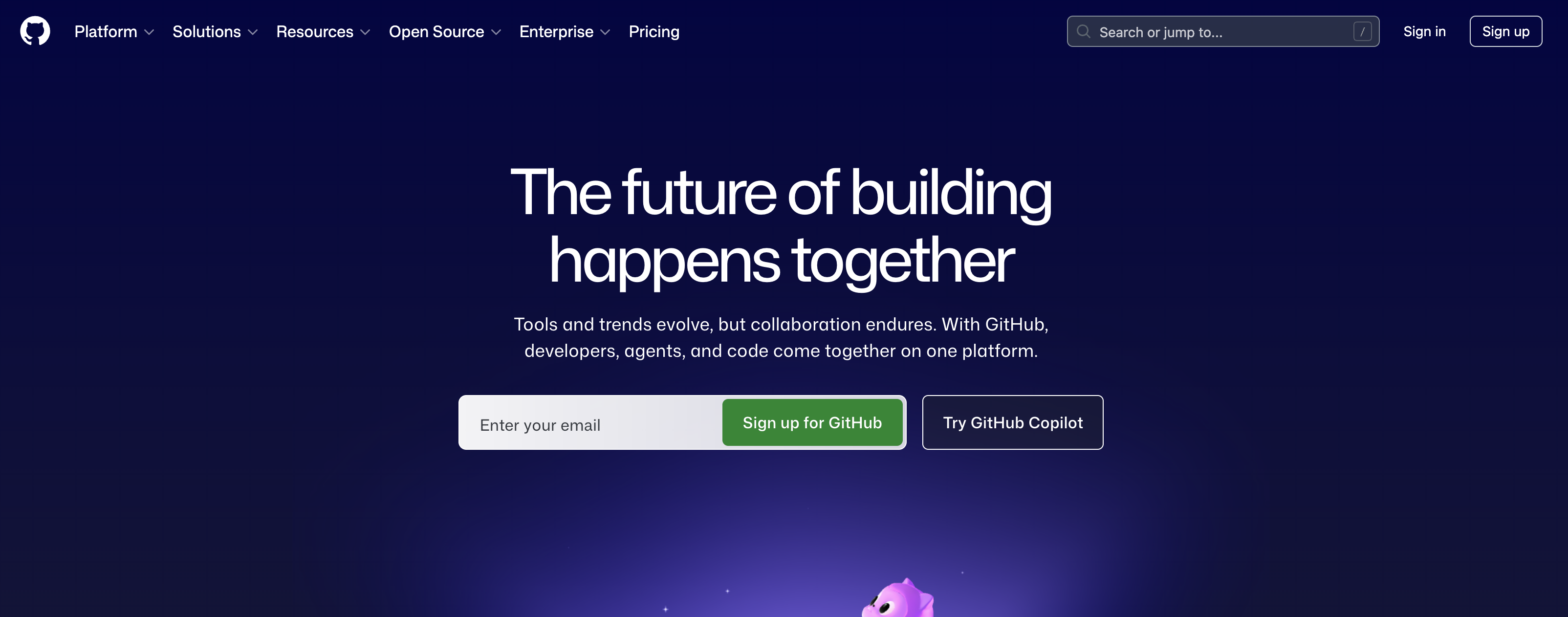
My project on GitHub, where the site's code lives
GitHub holds your code. Claude sets this up with you; you don't need to understand it.
If it won't push, have Claude bypass it

If your code won't go live (a missing tool, a stuck push, whatever), don't fight it. Show Claude exactly what you see and let it find another way, like pushing live straight from your Terminal.

Copy-paste prompt
We're trying to push the site live and it's not working. Here's exactly what I see: [paste the error or a screenshot].

Walk me through getting it live another way, one plain step at a time. Assume I don't know how to code.
Heads up. This is the messiest step, and it varies by setup. You may be told to install a developer tool or two. That's expected. Screenshot everything and let Claude steer.
Point your domain at the site

In your domain registrar (GoDaddy, Namecheap, etc.), update the DNS records Vercel gives you. Screenshot the settings page for Claude if you're unsure where to click.
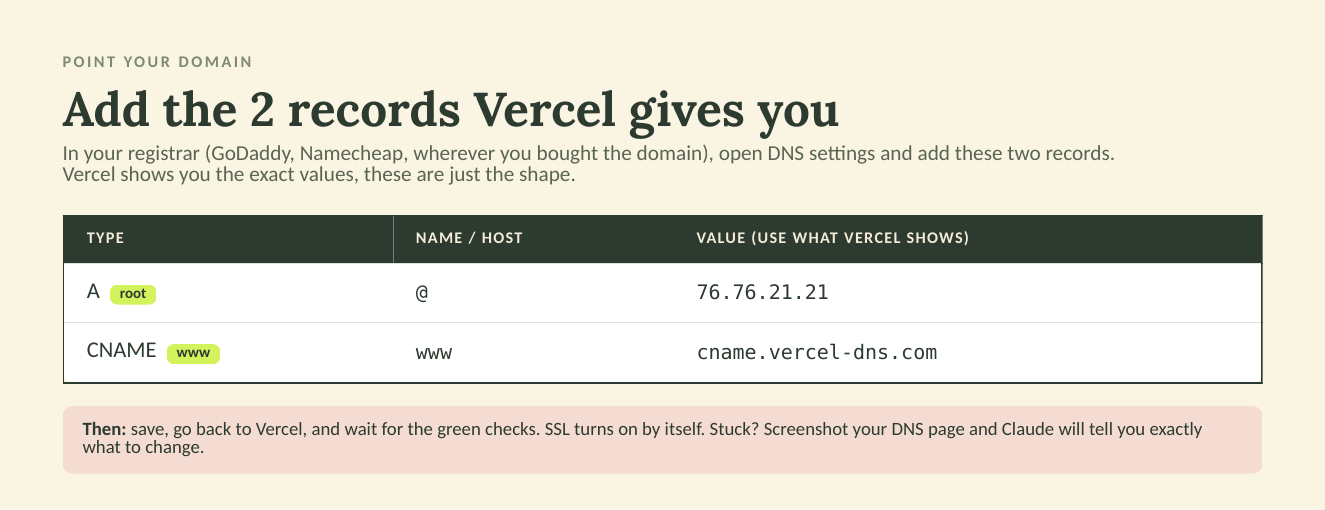
The two DNS records to add at your registrar: an A record for the root and a CNAME for www, pointing at Vercel
The two records you add at your registrar. Vercel hands you the exact values; these show the shape.
Confirm it's live

When the deploy goes green, your site is live within seconds. Open your URL in an incognito window to see it without old cached versions.

Live QA.

Seeing it live is its own pass. Tiny text, greyed-out type, things that looked fine in preview, all show up now. Do this every time you make a change.

Bloopers
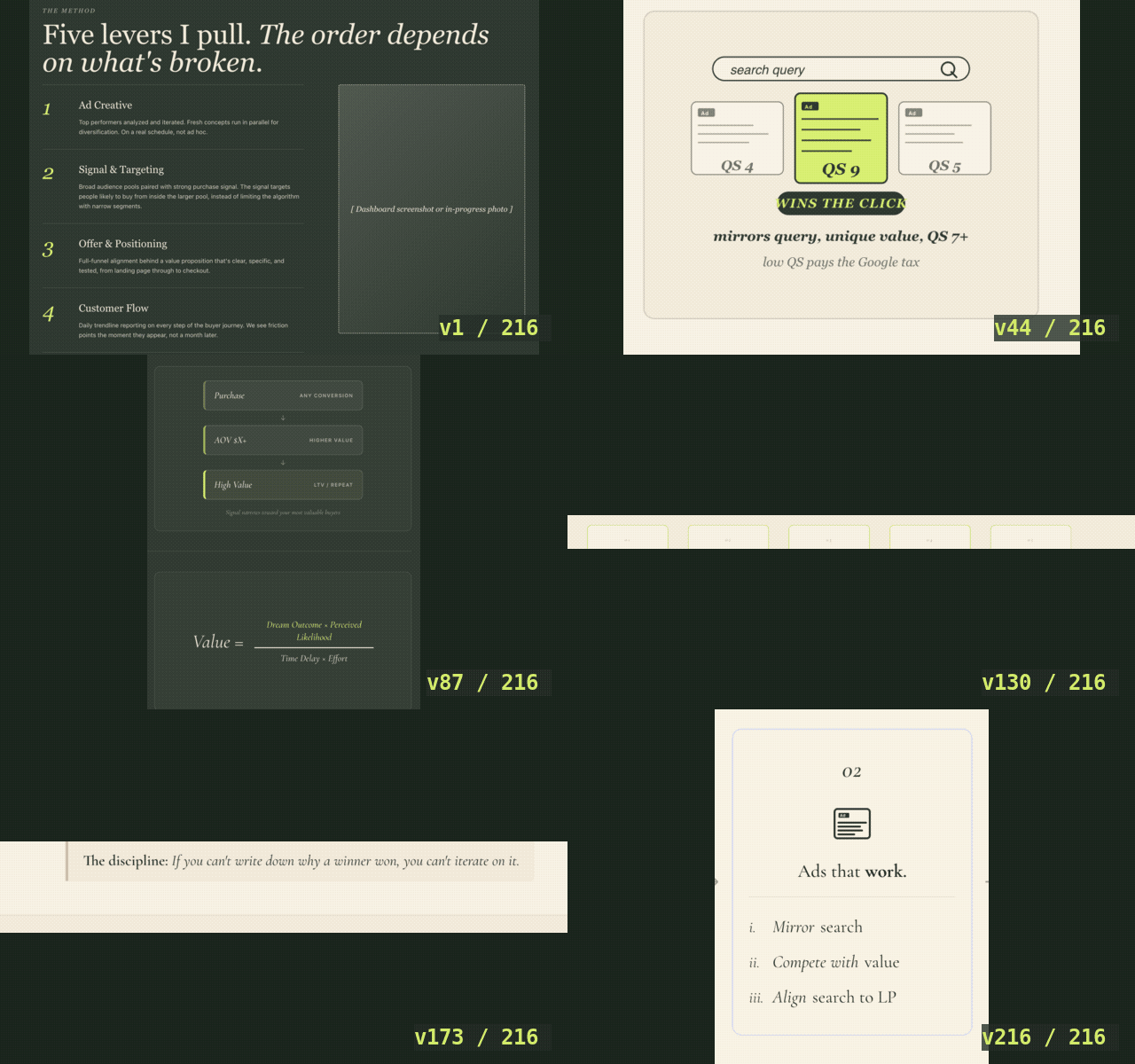
A slowed montage of design renditions of the Movement Ads website cycling by
216 renditions of this site, cycling by. These are just versions along the way, the last frame isn't even my final design. This is what unlimited iteration actually looks like.
Always use incognito + a hard refresh

Check changes in an incognito window and hard-refresh after every push. A hard refresh is Cmd + Shift + R on a Mac (Ctrl + Shift + R on Windows), it forces the page to reload from scratch instead of showing a cached old version. Normal windows hold onto the old version and fool you.

If a change doesn't show, screenshot it

Sometimes the change is live but your screen isn't showing it. Screenshot what you see and send it to Claude.

Adjust slowly, and revert when it overshoots

A few times I kept saying "more, More, MORE," when really the change was already made, I just couldn't see it because the refresh wasn't working. Move in small steps, do your hard refresh, and remember Claude saves your work, so you can always revert to the last good version.

Get a couple of your peers to review

Once it's legible and passing, show it to two or three honest people and fold in their notes. You don't need a committee.

Reframe the tweaking. The endless rounds of edits feel slow, but that's the whole advantage. You're getting unlimited iteration that a traditional designer could never afford to give you. Be glad you can.

FAQ

Do I need to know how to code?
No. You describe what you want in plain language and Claude builds it, sets up the project, and walks you through going live.
How much does it cost?
My only new cost was about $20/month for Vercel Pro hosting. To be clear: I already paid for Claude, ChatGPT, and Gemini for my business, so those weren't extra expenses for this. A comparable custom site is often quoted at $10,000 or more.
How long does it take?
A base design takes a few days. Refining it to launch-ready takes a couple of weeks of free time.
What if I get stuck on the technical parts?
Describe the problem in plain words and Claude troubleshoots it, including finding another way when one path won't work.
What's the best AI for building a website?
For a non-technical founder, the best AI is one that can build real files on your computer and walk you through launching. I used Claude (Cowork mode in the desktop app): it writes the code, sets up the project, and guides you to a live site.
Can Claude build a website?
Yes. In Cowork mode, Claude builds the actual pages, edits them as you give feedback, and helps you deploy the finished site to a live URL, with no coding required from you.
Will an AI-built website look professional?
It can, but you have to direct it. Feed it your colors, fonts, and reference sites, work in versions, and push hard on legibility. The taste is yours; the AI executes it.
Can AI build a website with video without it loading slowly?
Yes, if you plan for it. Tell the AI up front that load time matters and that you'll use video, then have it compress your media and pick fast hosting like Vercel. My site runs video and still loads fast.
Do I need a developer to launch an AI-built website?
No. You set up a couple of free accounts (GitHub and Vercel) and the AI walks you through each step. When my launch hit a snag, Claude found another way to push the site live.
Is it safe to build a business website with AI?
Yes. You own the code, the domain, and the hosting accounts, so nothing is locked to one vendor. You can edit and re-deploy your AI-built site anytime in seconds.

Need help with your Meta Ads?

Get the Ultimate Meta Ads Audit. An AI-built engine reads your account dozens of layers deeper than a human audit has time to: 12 dashboards, 180+ metrics, every day of your data. Then a senior strategist distills it to the handful of fixes that actually move revenue. Stop guessing, know exactly what to fix to grow this month.

Get your audit →